Previews
See your interface change as you type, without building and running.
Introduced
2019
WWDC19
Kind
Tool
Runs on
Xcode and Swift Playground
Get it from
Included with Xcode and Swift Playground
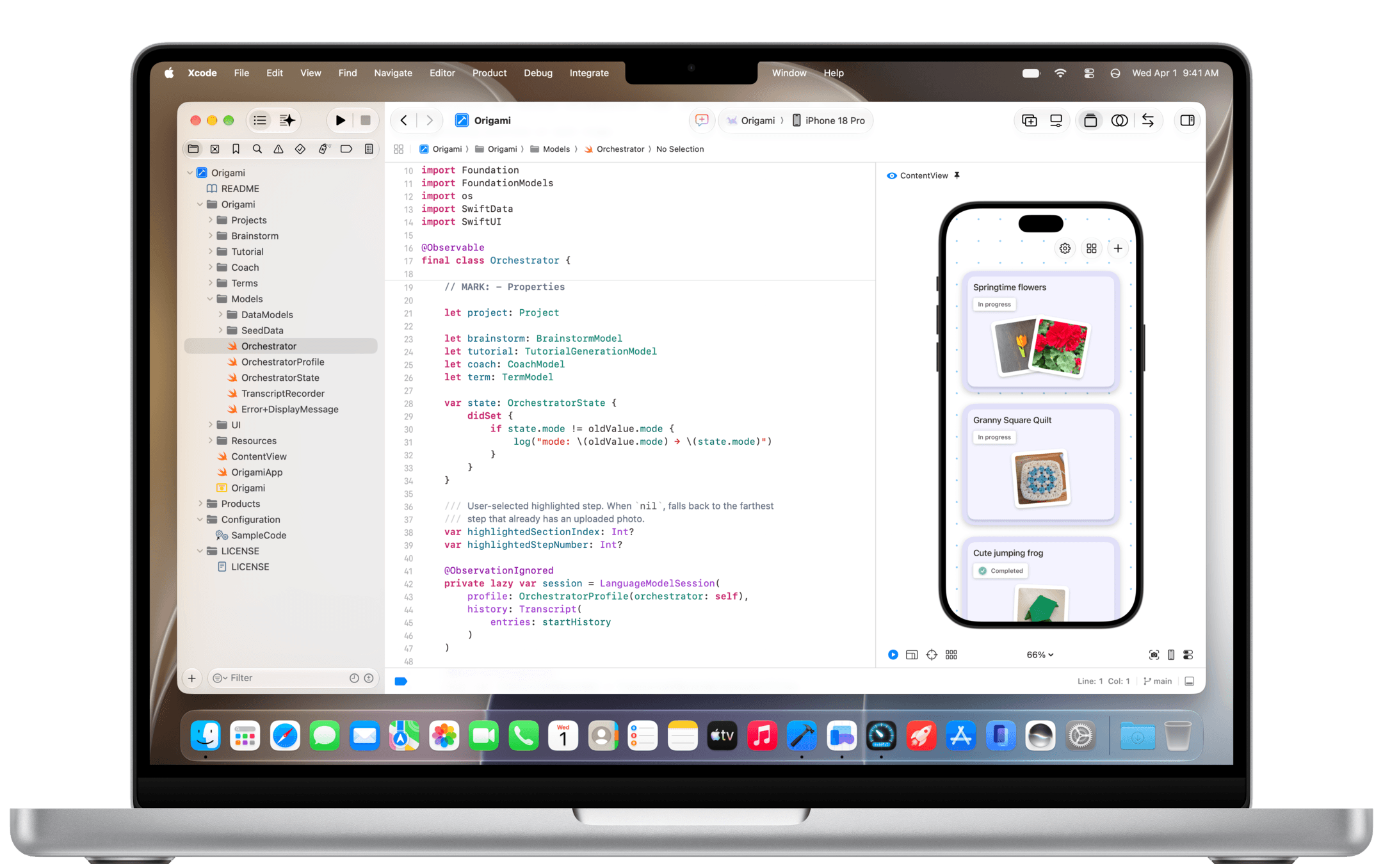
Edit your SwiftUI code on one side and watch the preview canvas update as you type.
Overview
Previews render your views right next to your code and update as you edit, in Xcode and in Swift Playground. Switch to interactive mode to tap and scroll, or show several variants side by side: Dark Mode, larger text, other devices.
The #Preview macro works with SwiftUI, UIKit and AppKit views.
#Preview
One macro to preview SwiftUI, UIKit and AppKit views.
Interactive mode
Tap, scroll and type in the live preview.
Variants
Dark Mode, Dynamic Type sizes and orientations side by side.
On device
Run the preview on a connected iPhone or iPad.
ProfileView.swift
#Preview("Large text") {
ProfileView(user: .sample)
.environment(\.dynamicTypeSize, .xxxLarge)
}
#Preview("Dark") {
ProfileView(user: .sample)
.preferredColorScheme(.dark)
}
History
How it grew up.
2019
Introduced
Arrives with SwiftUI in Xcode 11.
2023
#Preview macro
One macro for SwiftUI, UIKit and AppKit views.
2024
@Previewable
Xcode 16 adds @Previewable and a faster preview engine.